
Are we growing because people already know our brand or because we’re reaching new audiences?
Now, the branded queries filter in Google Search Console makes that distinction much easier.
Instead of building complex regex filters or exporting data to spreadsheets, you can now separate branded and non-branded search performance directly inside GSC.
This seemingly small feature fundamentally changes how SEO success should be measured.
What Is the GSC Branded Queries Filter?
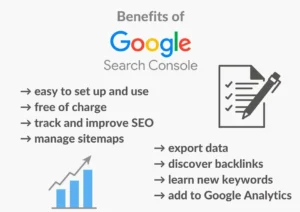
The branded queries filter in Google Search Console automatically separates search queries that include your brand name from those that don’t, allowing you to analyse brand demand and discovery traffic independently.
Who Should Use It?
- Business owners tracking brand growth
- SEO professionals and agencies
- Marketing teams measuring awareness
- E-commerce operators
- Content strategists
How It Works
GSC classifies queries containing recognised brand terms as “branded” and groups all others as “non-branded.”
Why It Matters
It reveals whether traffic comes from existing brand recognition or new customer discovery.
Why Branded vs Non-Branded Data Matters
Blended data can be misleading.
Branded searches typically:
- Have higher CTR
- Rank easily
- Convert better
- Reflect existing awareness
Non-branded searches usually indicate:
- New audience reach
- Content effectiveness
- Market expansion
- Top-of-funnel discovery
Without segmentation, you cannot accurately evaluate SEO performance.
Where to Find the Branded Filter in GSC
Navigate to:
Performance → Search Results → + Add Filter → Query
You can then choose branded or non-branded query groups.
The segmentation also applies to:
- Clicks
- Impressions
- CTR
- Average position
- API exports
Step-by-Step: How to Use the Branded Query Filter
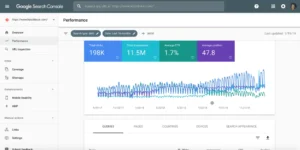
Step 1 Open Performance Reports
Access your site’s search performance dashboard.
Step 2 Add a Query Filter
Click “+ Add Filter” → Query → Query Group
Select:
- Branded queries
- Non-branded queries
Step 3 Compare Performance
Analyse differences in:
- Traffic trends
- CTR
- Rankings
- Seasonal patterns
Step 4 Export or Save Reports
Use the segmented data for:
- SEO reporting
- Marketing analysis
- Strategy decisions
Real World Use Cases
1. Measuring Brand Awareness
Rising branded searches often signal growing recognition from:
- Advertising campaigns
- PR activity
- Social media exposure
- Offline marketing
Declining branded searches may indicate fading visibility.
2. Diagnosing Traffic Drops
If organic traffic falls, segmentation helps identify why:
- Brand demand decline
- Algorithm impact on discovery keywords
- Seasonal fluctuations
- Competitive pressure
3. Evaluating Content Strategy
Non-branded growth shows whether content is attracting new users.
If non-branded traffic is stagnant, your content may not be expanding reach.
4. Forecasting Business Performance
Branded searches often correlate with:
- Purchase intent
- Customer loyalty
- Market share
Tracking trends can provide early warning signals.
Why Branded Traffic Converts Better
Users searching for a specific brand usually have strong intent.
They may already:
- Trust the company
- Compare products
- Look for contact details
- Plan a purchase
Non-branded users are still researching.
This explains why branded traffic often produces higher conversion rates despite lower volume.
Strategic Insights You Can Unlock
Separating the data allows you to answer critical questions:
Are We Growing Awareness or Just Demand?
If only branded traffic increases, growth may come from marketing not SEO discovery.
Is Our SEO Reaching New Customers?
Non-branded growth indicates expanding market visibility.
Did an Algorithm Update Affect Us?
Core updates typically impact non-branded rankings more than branded ones.
Limitations of the Branded Query Filter
Despite its usefulness, the feature isn’t perfect.
Common Challenges
- Misspellings or variations may not be recognised
- Product names without brand references may be misclassified
- Generic brand names can cause ambiguity
- Competitor brand searches are not included
- International brand variations may differ
Manual analysis may still be necessary for complex cases.
Best Practices for Accurate Reporting
Combine with Other Data Sources
Use insights alongside tools like Google Analytics for conversions and behaviour.
Track Trends Over Time
Short-term fluctuations are normal.
Focus on long-term patterns.
Segment by Device or Location
Performance can vary across mobile, desktop, or regions.
Align With Marketing Activities
Match search trends with campaigns, product launches, or seasonal events.
GEO Considerations
Brand awareness differs across markets.
For example, a business expanding into new regions may see:
- Low branded searches
- Higher non-branded discovery traffic
- Gradual brand growth over time
Tracking segmentation helps measure localisation success.
Why This Feature Signals a Shift in SEO Measurement
Search performance is no longer just about rankings.
It’s about:
- Brand demand
- Visibility
- Discovery
- Customer intent
The branded query filter moves SEO reporting closer to real marketing impact.
Is the Branded Queries Filter Worth Using?
Absolutely.
It simplifies analysis that previously required complex workarounds and provides clearer insights into what’s driving organic performance.
For most websites, it should become a standard part of reporting.
FAQs
Q1. Does the branded filter cost anything to use?
A. No. It is built into Google Search Console, which is free.
Q2. How accurate is the classification?
A. Generally reliable, but not perfect especially for complex brand names.
Q3. Can it track competitor branded searches?
A. No. It only applies to queries related to your property.
Q4. How often should I review branded vs non-branded data?
A. Monthly reviews are common, with quarterly trend analysis for strategy decisions.
Q5. Is this useful for small businesses?
A. Yes. Even small brands benefit from understanding awareness versus discovery.

