Fiesta Digital Solutions

How to Turn Claude Code Into Your SEO Command Center

claude code seo​

Modern SEO involves juggling data, tools, and constant algorithm changes. What if one intelligent system could connect everything research, analysis, reporting, and strategy? That’s exactly why many marketers are turning to Claude Code as a central hub for SEO operations. Instead of switching between dashboards, spreadsheets, and tools, Claude Code can analyse large datasets, automate tasks, and generate insights in seconds. What Is Claude Code for SEO?  Claude Code is an AI-powered coding assistant that can analyse data, write scripts, automate workflows, and answer complex questions making it highly effective for SEO analysis and optimisation tasks. Who Should Use It? SEO professionals and agencies Marketing teams handling large datasets Technical SEOs Business owners seeking automation Content strategists How It Works You provide instructions or data, and the AI generates scripts, insights, or solutions to accomplish SEO tasks automatically. Why It Matters SEO success increasingly depends on analysing massive data across multiple platforms something humans alone cannot do efficiently. Why Claude Code Is Ideal as an SEO Command Center Traditional SEO workflow: Keyword tools Analytics dashboards Ranking trackers Technical audits Content analysis Manual reporting Claude Code can unify these into one intelligent layer. Key Advantages  Cross-platform data analysis   Automation of repetitive tasks   Real-time insights   Custom workflows  Scalability  Reduced manual work Core SEO Tasks Claude Code Can Automate 1. Keyword Research at Scale Claude Code can: Analyse keyword lists Identify clusters and intent Detect opportunities Generate long-tail variations Compare competitors Example prompt: “Group these keywords by search intent and identify content gaps.” 2. Content Strategy & Topical Authority You can use it to: Build content clusters Generate outlines Analyse competitor coverage Suggest internal linking structures Identify missing topics This is especially useful for building topical authority a major ranking factor. 3. Technical SEO Analysis Claude Code can process crawl data or logs to find: Broken links Redirect chains Indexation issues Duplicate content Performance bottlenecks Instead of manual audits, you get instant insights. 4. SERP & Competitor Analysis Provide competitor URLs or data, and it can: Extract ranking patterns Analyse content depth Identify strengths and weaknesses Suggest outranking strategies 5. Analytics & Performance Insights Claude Code can analyse exports from: Google Search Console Analytics platforms Ads data Rank trackers Example questions: Which pages drive impressions but low clicks? Where is traffic declining? What content should be updated first? 6. Automated Reporting Instead of manual monthly reports: Generate summaries Highlight key metrics Create actionable recommendations Produce client ready insights How to Build Your SEO Command Center (Step-by-Step) Step 1 Define Your Objectives Decide what you want to centralise: Keyword strategy Content planning Technical audits Performance analysis Reporting Step 2 Gather Your Data Sources Typical inputs include: Keyword lists Site crawls Analytics exports Competitor data Content inventories Step 3 Use Natural Language Instructions You don’t need complex prompts. Examples: “Find SEO opportunities in this dataset.” “Prioritise pages for optimisation.” “Suggest topics to outrank competitors.” Step 4 Create Repeatable Workflows Save effective prompts for tasks like: Monthly performance reviews Content planning cycles Technical checks Campaign analysis Real World Use Cases For Agencies Faster client reporting Data-driven recommendations Competitive insights Scalable operations For In House Teams Prioritisation of SEO tasks Cross-department insights Content planning For Business Owners Clear understanding of website performance Reduced reliance on multiple tools Better decision-making Pros and Cons of Using Claude Code for SEO Pros Extremely powerful analysis capabilities Handles large datasets effortlessly Customisable workflows Saves significant time Reduces tool fragmentation Cons Learning curve for non-technical users Requires high-quality data inputs May produce inaccurate outputs if prompts are unclear Not a replacement for human strategy Needs verification of results Common Mistakes to Avoid Treating AI insights as absolute truth Ignoring business context Over-automating strategy decisions Using poor quality data Expecting instant results Future of AI Driven SEO Command Centers AI assistants like Claude Code are part of a broader shift: From manual analysis → intelligent insights From tool-based workflows → unified systems From reactive SEO → predictive optimisation Businesses that adapt early gain a competitive advantage. Is Claude Code Worth It for SEO? Yes, if you handle complex SEO tasks, large datasets, or multiple websites. For small sites with minimal data, traditional tools may be sufficient. But for serious growth, AI-driven analysis is becoming essential. FAQs  Q1. How much does it cost to use Claude Code for SEO? A. Costs depend on usage and platform access. Many tasks can be done efficiently without enterprise-level expenses. Q2. Is Claude Code suitable for beginners? A. Yes, especially for data analysis and content planning, though technical tasks may require learning. Q3. How quickly can it improve SEO results? A. Insights are immediate, but ranking improvements still depend on implementation and search engine factors. Q4. Can it replace SEO tools entirely? A. No. It complements tools rather than replacing them, especially for tracking and historical data. Q5. Is it safe to rely on AI for SEO decisions? A. AI should support not replace expert judgement. Always validate recommendations. Conclusion Turning Claude Code into your SEO command center isn’t about replacing existing tools it’s about amplifying your capabilities.
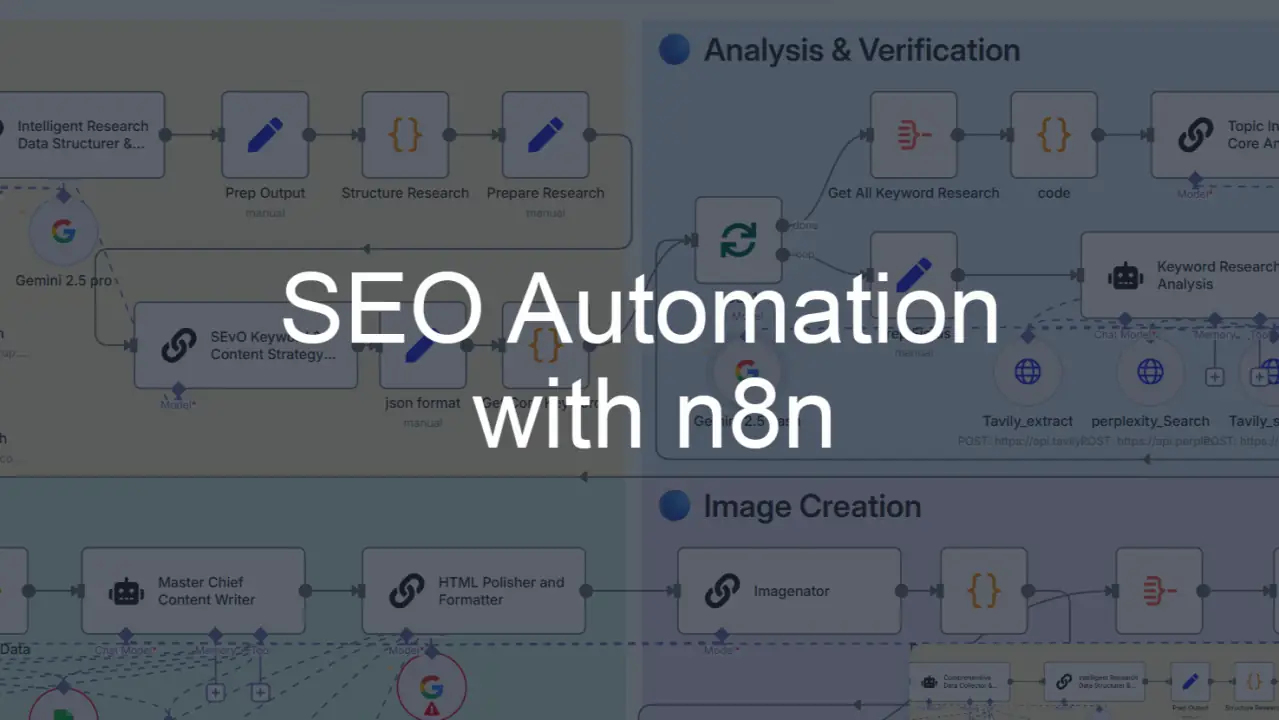
Automate SEO Tasks for Faster Growth 2026

Automate SEO Tasks

Search engine optimisation is one of the highest ROI marketing channels but it’s also one of the most time intensive. Keyword research, technical audits, content optimisation, reporting, and monitoring can consume dozens of hours every month. The good news? Many of these activities can now be automated safely allowing you to scale faster, reduce costs, and focus on strategy instead of repetitive work. This comprehensive guide explains how to automate SEO tasks effectively, what to automate, what not to automate, and how to avoid common pitfalls. What Does It Mean to Automate SEO Tasks? Automating SEO tasks means using software, AI tools, or scripts to perform repetitive optimisation activities such as data collection, analysis, reporting, and basic content improvements with minimal manual effort while maintaining human oversight. Who Should Automate SEO? Automation is ideal for: Small business owners managing marketing alone Agencies handling multiple clients E-commerce websites with large inventories Content publishers producing frequent articles Marketing teams aiming to scale efficiently If SEO work feels overwhelming or inconsistent, automation can dramatically improve productivity. How SEO Automation Works Most tools follow a similar process: Gather large amounts of search and website data Analyse patterns using algorithms or AI Generate insights or recommendations Apply changes automatically or semi-automatically Track results continuously Human review ensures outputs align with brand goals and search intent. Why Automating SEO Tasks Matters Automation is not just about saving time it enables growth that would otherwise be impossible. Key benefits include: Faster execution of campaigns Reduced manual workload Improved consistency across pages Real time performance tracking Lower long-term costs Ability to scale content and optimisation Businesses that automate strategically can compete with much larger organisations. Best SEO Tasks to Automate (High Impact Areas) Not everything should be automated. Focus on tasks that are repetitive, data heavy, and rule-based. 1. Keyword Research & Topic Clustering Automation tools can quickly: Generate thousands of keyword ideas Identify search intent Group related terms into topic clusters Discover long-tail opportunities Analyse competition This turns days of work into minutes and helps build strong topical authority. 2. Rank Tracking & Competitor Monitoring Instead of checking rankings manually, automated tools can: Track positions daily Monitor competitors Alert you to sudden drops Identify new ranking opportunities Continuous monitoring enables faster responses to algorithm changes. 3. Technical SEO Audits Large websites often contain hidden issues that harm rankings. Automated crawlers can detect: Broken links Duplicate content Missing metadata Redirect problems Indexing errors Slow pages Manual audits simply cannot scale to thousands of URLs. 4. Meta Titles, Descriptions & Image Alt Text Generating metadata for large sites is extremely time-consuming. Automation can produce: SEO friendly page titles Meta descriptions Image alt text Structured naming conventions Important pages should still be reviewed to maximise click-through rates. 5. Content Optimisation & Assistance AI tools can support not replace content creation by helping with: Topic ideas Article outlines Semantic keyword suggestions Readability improvements Content gap analysis Human expertise is still essential for originality and trustworthiness. 6. SEO Reporting & Analytics Reporting is one of the easiest wins for automation. Dashboards can automatically: Combine data from multiple platforms Track KPIs in real time Generate scheduled reports Visualise trends Highlight anomalies This frees teams from hours of manual spreadsheet work. SEO Tasks You Should NOT Fully Automate Automation has limits. Some activities require human judgement and experience. Strategy & Planning Understanding your market, audience, and positioning cannot be automated effectively. High Quality Content Creation Search engines reward expertise and authentic insights. Fully automated content often lacks depth, originality, and credibility. Link Building & Outreach Successful link acquisition relies on relationships, relevance, and negotiation not mass automation. Brand Messaging & UX Decisions Automation cannot understand emotional triggers, tone, or user psychology the way humans can. Step-by-Step Guide: How to Start Automating SEO Tasks Step 1 Audit Your Current Workflow Identify tasks consuming the most time with the lowest strategic value. Step 2 Prioritise High ROI Automation Focus on activities that directly affect rankings or scalability. Step 3 Choose Reliable Tools Look for platforms with: Accurate data sources Integrations with your systems Customisation options Good support and documentation Step 4 Implement Gradually Start with one or two processes before expanding. Step 5 Maintain Human Oversight Review outputs regularly to ensure quality and accuracy. Automation should assist experts not replace them. Common Mistakes to Avoid Many businesses fail because they automate incorrectly. Avoid these pitfalls: Publishing unedited AI content Ignoring search intent Over optimising keywords Automating everything at once Neglecting quality checks Choosing tools based only on price Poor implementation can damage rankings rather than improve them. Is SEO Automation Worth It? For most organisations, absolutely. Automation delivers the greatest value when it: 1) Saves time on repetitive work 2) Improves accuracy and consistency 3) Enables scaling of successful strategies 4) Supports data driven decisions However, it works best as part of a hybrid approach combining technology and human expertise. Pros and Cons of Automating SEO Tasks Advantages Significant time savings Lower operational costs Scalable optimisation Consistent execution Faster insights from data Limitations Requires monitoring Risk of generic outputs Tool subscriptions can add up Not suitable for creative tasks Over automation may reduce quality Understanding these trade offs helps you use automation wisely. Future of SEO Automation Automation is evolving rapidly as search engines become more AI-driven. Emerging trends include: Predictive SEO insights Real time content recommendations Voice search optimisation tools Automated user intent analysis Integration with broader marketing systems Businesses adopting these technologies early will gain a significant competitive advantage. Frequently Asked Questions (FAQs) Q1. How much does SEO automation cost? A. Costs range from free tools to enterprise platforms costing hundreds per month. Many businesses start with mid-tier solutions offering strong functionality without excessive expense. Q2. Can SEO be fully automated? A. No. While many repetitive tasks can be automated, strategy, creativity, and decision making still require human expertise. Q3. How long before automation improves rankings? A. SEO results typically take 3 to 6 months, depending on competition, site authority, and implementation quality. … Read more

Update Old Content with AI for Faster SEO Rankings

Update Old Content with AI

Most websites already have valuable content sitting quietly on page two or three of Google. The problem isn’t effort, it’s freshness, alignment, and relevance. When used correctly, AI can help you revive that content fast, without rewriting everything from scratch or losing your original voice. Staying aligned with every Google algorithm update is easier when older pages are refreshed to match current search expectations. This guide explains exactly how to update old content using AI in a way that search engines, voice assistants, and real users actually reward. Why Updating Old Content Works Faster Than Publishing New Pages Search engines trust aged URLs more than brand-new ones. Existing pages already have crawl history, backlinks, impressions, and user signals. When you update them intelligently, rankings often improve within weeks instead of months. AI accelerates this process by: Identifying gaps you missed earlier Refreshing outdated sections at scale Aligning content with current search behavior But only if it’s used with strategy, not shortcuts. Identify Pages That Deserve an Update Not every page needs attention. Focus on content that already shows potential. Pages Worth Updating First URLs ranking between positions 8–30 Posts with declining traffic Evergreen topics published 6–24 months ago Content that ranks but doesn’t convert Google Search Console is your best free source here. Look for pages with impressions but low CTR or slipping average positions. Understand Why the Content Stopped Performing Before touching AI, diagnose the real issue. Common Reasons Content Loses Rankings Search intent has shifted Competitors published more complete guides Missing FAQ or voice-friendly structure Outdated examples or references Weak topical depth AI helps best when you know what to fix, not when you blindly regenerate text. Use AI to Re-Map Search Intent Search intent evolves. AI tools can analyze current top-ranking pages and summarize what Google now expects. How to Do This Effectively Ask AI to: Summarize user intent behind the keyword today List subtopics competitors now cover Identify questions users expect answered Use this insight to adjust headings and flow, not to replace your expertise. Refresh Headings Without Losing Authority Your H2 and H3 structure matters more than ever for SEO, AEO, and VEO. AI-Assisted Heading Optimization Use AI to: Suggest missing subheadings Improve clarity of existing headings Add conversational phrasing for voice search Example: Instead of “Benefits,” use “Why Updating Existing Content Improves Rankings Faster” This aligns better with how people ask questions aloud. Expand Thin Sections Strategically AI shines when expanding ideas, not inventing them. Best Way to Expand Content with AI Feed AI a specific paragraph Ask it to deepen explanations or add examples Review and humanize the output Avoid dumping large AI-generated blocks. Instead, integrate improvements naturally. AI-driven updates only succeed when content quality is improved with deeper explanations rather than surface-level rewrites. Add AEO-Friendly Clarifications AI-powered search assistants prefer clear, direct answers. Where to Add AEO Elements Short definitions after headings Simple explanations for complex terms Natural question-answer formats Example: What does content freshness mean? Content freshness refers to how recently and accurately a page reflects current information and user intent. These sections help your content surface in AI-generated responses. Optimize for Voice Search Using AI Voice queries are longer and more conversational. AI Prompts That Help Ask AI to: Rephrase key answers in spoken language Identify common “how,” “why,” and “what” questions Simplify complex sentences Then edit for warmth and clarity. Voice optimization is about sounding human, not robotic. Strengthen EEAT Signals with Smart AI Use AI cannot replace experience, but it can help present it better. Use AI to Enhance EEAT By: Improving clarity of expert explanations Structuring author insights more clearly Highlighting trust-building elements Manually add: First-hand insights Updated data references Real-world examples Google values who is behind the content just as much as what it says. Refresh Internal Linking Context Old internal links often point to outdated anchors or irrelevant pages. How AI Helps Here Use AI to: Suggest better anchor text Identify related content opportunities Improve contextual relevance This strengthens topical authority across your site. Update Metadata for Higher Click-Through Rates Even a ranking page can underperform if titles and descriptions feel stale. AI-Assisted Metadata Updates Ask AI to: Rewrite titles with curiosity and clarity Improve meta descriptions using intent-driven language Align snippets with current SERP patterns Always keep it human and honest, clickbait hurts trust. Refreshing pages with a focus on trust, expertise, and accuracy helps maintain EEAT signals that search engines increasingly prioritize. Add or Refresh FAQs Using AI FAQs are powerful for both rankings and AI visibility. What Makes a Strong FAQ Section Real questions users ask Direct, concise answers Natural conversational tone AI can generate draft questions, but answers should be reviewed carefully to ensure accuracy. Improve Readability Without Dumbing Down AI excels at simplifying complex text. Use AI to: Shorten long sentences Improve transitions Remove unnecessary jargon Then read everything aloud. If it sounds natural, it works. Add GEO Signals Where Relevant Local context improves discoverability even for global topics. Examples of GEO Optimization Mention regional behavior patterns Reference locations naturally when applicable Align phrasing with local search intent AI can suggest where GEO signals fit, but only add them when relevant. Re-Publish Strategically Once updated: Change the publish or “last updated” date Resubmit the URL in Search Console Monitor performance weekly Many ranking improvements appear within 14–45 days. Common Mistakes When Updating Content with AI Overwriting Your Original Voice AI should assist, not replace, you. Blindly Trusting AI Facts Always verify claims and examples. Over-Optimizing Keywords Natural language wins over forced repetition. Ignoring User Experience Formatting and flow matter as much as content depth. Following emerging SEO predictions and trends helps guide which sections of older content need strategic updates first. FAQs Q1. Can AI really improve rankings? A. Yes, when used to enhance relevance, clarity, and depth, not to mass-generate text. Q2. Should I disclose AI usage? A. Focus on transparency through quality, accuracy, and authorship, not tool mentions. Q3. How often should content be updated? A. High-value … Read more